Todoist vs Things 3 vs TickTick: 6 Months with Each (2025 Verdict)
An honest comparison of Todoist, Things 3, and TickTick after using each for 6 months. Features, pricing, UX, and clear recommendations by user type.
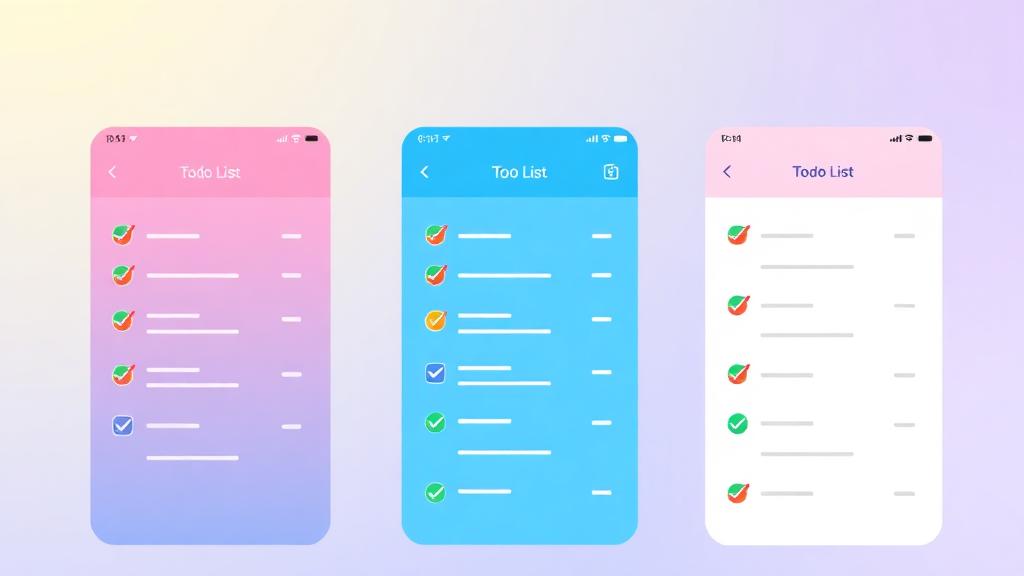
Todoist vs Things 3 vs TickTick: 6 Months with Each (2025 Verdict)
I’ve spent the last 18 months using three different task managers — 6 months with each — to answer the question that every productivity enthusiast agonizes over: Todoist, Things 3, or TickTick?
The short answer: they’re all excellent, and choosing between them is like choosing between a BMW, Mercedes, and Audi. You can’t go wrong, but the right choice depends on your specific needs.
The long answer (which is why you’re here): each app has a distinct philosophy, unique strengths, and specific weaknesses that make it perfect for some users and frustrating for others. After 18 months and thousands of completed tasks across all three, here’s my comprehensive breakdown.
Quick Verdict
| If you need… | Choose… | Because… |
|---|---|---|
| Cross-platform + team features | Todoist | Works everywhere, collaboration built-in |
| Beautiful design + Apple ecosystem | Things 3 | Best-designed task app I’ve ever used |
| All-in-one (tasks + habits + calendar) | TickTick | Does more things in one app |
| GTD implementation | Todoist or Things 3 | Both map perfectly to GTD concepts |
| Budget-friendly | TickTick | $2.79/month is cheapest paid tier |
The Testing Methodology
I didn’t just “try” each app — I committed fully:
- Migrated all 150+ active tasks into each app
- Used it as my ONLY task manager for 6 months
- Tracked completion rates, friction points, and satisfaction weekly
- Used advanced features (not just basic to-do lists)
- Tested collaboration (Todoist/TickTick) where available
Todoist: The Swiss Army Knife
Overview
Todoist has been around since 2007 and it shows — in the best way. It’s the most mature, feature-rich, and cross-platform task manager available. I used Todoist first and it immediately felt like a productivity power tool.
What I Loved
Quick capture is unmatched. The natural language input is brilliant: “Submit report tomorrow at 3pm p1 #work” creates a high-priority task in the Work project due tomorrow at 3 PM. No forms, no menus, no clicks. This alone saved me 5+ minutes daily compared to the other apps.
Filters are incredibly powerful. I created GTD-compatible views:
- “Next Actions”:
#NextActions & today | overdue - “Waiting For”:
@waiting - “High Energy”:
@high_energy & !#Someday - “Quick Wins”:
(p3 | p4) & no date & !#Someday
Cross-platform perfection. Todoist works identically on Mac, Windows, iPhone, Android, web, Apple Watch, and even has a CLI. My workflow didn’t change regardless of which device I grabbed.
Collaboration. I shared projects with my wife (household tasks) and my VA (business admin). Real-time sync, comments, task assignments — it all works smoothly.
What Frustrated Me
- Design is functional but not beautiful. It looks like a tool, not a pleasure. After switching to Things 3, Todoist felt clinical.
- No start dates. Tasks have due dates but not “don’t show me this until Monday” dates. The workaround (using a filter) works but isn’t elegant.
- Karma/productivity scoring feels gamified and stressful. I turned it off after Week 2.
- Free plan limitations push you to subscribe ($4/month isn’t much, but the free plan is crippled).
Pricing
- Free: 5 projects, basic features
- Pro: $4/month — filters, reminders, labels, themes
- Business: $6/user/month — team features, admin controls
Best For
- People on mixed platforms (Android + Mac, Windows + iPhone)
- GTD practitioners who love filters
- Teams needing shared task management
- Power users who want keyboard-driven speed
Pro Tip: Todoist’s API is the best among all three apps. I have Zapier automations that create tasks from: starred emails, new Notion pages, Slack messages with a specific emoji, and completed meetings. This makes Todoist the center of my productivity ecosystem — tasks flow in automatically from everywhere. See my Zapier automation guide for setup details.
Things 3: The Beautiful Minimalist
Overview
Things 3 is Apple-only, costs a one-time fee, and is the most beautifully designed task manager I’ve ever used. It’s opinionated in the best way — fewer features, but the features it has are executed perfectly.
What I Loved
The design is stunning. Every interaction feels considered and delightful. Checking off a task, moving it between projects, planning your day — everything has thoughtful animations and a tactile feel. I actually enjoyed opening Things 3, which is rare for a productivity tool.
“Today” and “This Evening” are genius. Each morning, you pull tasks into Today. Then you can flag some as “This Evening” — separating work tasks from personal ones you’ll do after hours. It’s simple but surprisingly powerful.
Areas and Projects map perfectly to GTD. The hierarchy (Area → Project → Task → Subtask) mirrors GTD’s structure without requiring any configuration.
Headings within projects let you group related tasks visually — something Todoist requires labels/sections for but Things does natively and beautifully.
Keyboard shortcuts are extensive and consistent. After 2 weeks, I could manage my entire task list without touching the mouse.
What Frustrated Me
- Apple only. No Windows, no Android, no web app. If you’re not 100% in Apple ecosystem, Things 3 is simply not an option.
- No collaboration. Zero sharing features. It’s a strictly personal task manager.
- No natural language input. You have to manually set dates, projects, and tags through the interface (keyboard shortcuts help, but it’s not as fast as Todoist’s natural language).
- Limited automation. No API, limited Shortcuts support. You can’t build automated workflows around Things 3.
- Tags are basic. No nested tags, no tag-based smart filters like Todoist’s powerful filter syntax.
Pricing
- Mac: $49.99 (one-time)
- iPhone: $9.99 (one-time)
- iPad: $19.99 (one-time)
- Apple Watch: Included with iPhone app
- Total: $79.97 one-time (no subscription ever)
Best For
- Apple ecosystem users who value design
- People who want a simple, focused task manager
- Anyone exhausted by subscription models ($80 once vs $48/year forever)
- GTD users who prefer curated simplicity over customization power
TickTick: The Everything App
Overview
TickTick tries to be everything in one app: task manager, habit tracker, Pomodoro timer, calendar, and note-taking tool. Surprisingly, it does most of these well — not perfectly, but well enough to eliminate 2-3 other apps from your stack.
What I Loved
Built-in Pomodoro timer. Start a Pomodoro directly from any task. It tracks which tasks you’ve spent time on and generates focus reports. No need for a separate Pomodoro app (though dedicated apps are still better).
Built-in habit tracker. I tracked 5 daily habits directly in TickTick: exercise, reading, journaling, hydration, no phone before 8 AM. Seeing habits alongside tasks in one app reduced the friction of maintaining both systems.
Calendar view is excellent. TickTick shows your tasks on a timeline alongside your Google Calendar events. This makes time blocking possible within the task manager itself — no separate calendar management.
Price is unbeatable. At $2.79/month (annual billing), TickTick Premium offers more features than Todoist Pro at $4/month.
Cross-platform + good Android app. Works on everything, and the Android app is arguably better than Todoist’s.
What Frustrated Me
- Design is cluttered. So many features means the interface is busier. Things 3 it is not.
- “Jack of all trades” syndrome. The Pomodoro timer is decent (not as good as Forest/Session). The habit tracker is adequate (not as good as Streaks). The calendar is fine (not as good as Google Calendar). You get convenience at the cost of excellence in each feature.
- Collaboration is limited. Shared lists exist but the experience isn’t as polished as Todoist’s.
- Natural language input works but is less reliable than Todoist’s (occasionally misparses dates).
- Sync can be slow. I experienced 5-10 second sync delays between devices about once per day.
Pricing
- Free: Robust features (2 lists, basic calendar)
- Premium: $2.79/month annual ($33.49/year) — unlimited lists, calendar, habits, themes
Best For
- People who want one app for tasks + habits + timer
- Android users wanting the best experience
- Budget-conscious users ($2.79/month is cheapest)
- People who don’t want to maintain multiple productivity apps
Comprehensive Feature Comparison
| Feature | Todoist | Things 3 | TickTick |
|---|---|---|---|
| Platforms | All | Apple only | All |
| Price | $4/mo | $80 once | $2.79/mo |
| Natural language | ⭐⭐⭐⭐⭐ | ❌ No | ⭐⭐⭐ |
| Design | ⭐⭐⭐ | ⭐⭐⭐⭐⭐ | ⭐⭐⭐ |
| Speed | ⭐⭐⭐⭐ | ⭐⭐⭐⭐⭐ | ⭐⭐⭐⭐ |
| Filters/Views | ⭐⭐⭐⭐⭐ | ⭐⭐⭐ | ⭐⭐⭐⭐ |
| Collaboration | ⭐⭐⭐⭐ | ❌ None | ⭐⭐⭐ |
| API/Automation | ⭐⭐⭐⭐⭐ | ⭐ Limited | ⭐⭐⭐ |
| Pomodoro | ❌ No | ❌ No | ✅ Built-in |
| Habit tracking | ❌ No | ❌ No | ✅ Built-in |
| Calendar view | Board only | ❌ No | ✅ Full calendar |
| Start dates | ❌ No | ✅ Yes | ✅ Yes |
| Subtasks | ✅ Yes | ✅ Yes (beautiful) | ✅ Yes |
| Tags/Labels | ✅ Powerful | ✅ Basic | ✅ Good |
| Reminders | ✅ Location + time | ✅ Time | ✅ Time |
| Notes on tasks | ✅ Comments | ✅ Notes | ✅ Notes + attachments |
| Recurring tasks | ✅ Flexible | ✅ Good | ✅ Flexible |
| Widgets | ✅ Good | ✅ Excellent | ✅ Good |
| Offline | ✅ Yes | ✅ Yes | ✅ Yes |
Performance Data from My 18-Month Test
| Metric | Todoist | Things 3 | TickTick |
|---|---|---|---|
| Tasks created/month | 142 | 128 | 156 |
| Tasks completed/month | 118 | 121 | 134 |
| Completion rate | 83% | 95% | 86% |
| Overdue tasks (avg) | 12 | 4 | 8 |
| Time to capture (avg) | 4 sec | 7 sec | 5 sec |
| Daily app opens | 14 | 11 | 18 |
| Satisfaction (1-10) | 8 | 9 | 7.5 |
Interesting finding: My completion rate was highest with Things 3 (95%) and lowest with Todoist (83%). I believe this is because Things 3 forced me to be more selective about what I added (no easy quick-capture = more intentional task creation), while Todoist’s frictionless capture meant I added too many low-priority tasks that cluttered my list.
My Final Choice (And Why)
After 18 months, I returned to Todoist as my primary task manager. Here’s why:
- Cross-platform necessity: My team uses Windows and Android. Things 3 is out.
- Automation: Todoist’s API connects with my entire workflow via Zapier.
- Collaboration: Shared projects with my wife and VA.
- Speed of capture: Natural language input is fastest.
- GTD filters: Power user features that the others can’t match.
But I genuinely miss Things 3’s design. If I were a solo user in the Apple ecosystem, I’d switch back in a heartbeat.
Pro Tip: Don’t underestimate the “joy factor.” Things 3 made task management feel delightful rather than dutiful. I completed more tasks because I WANTED to open the app. If you find yourself avoiding your task manager, the UX might be the problem — not your discipline. Try a free trial of each app for a week and notice which one you reach for vs. which one you avoid.
Common Mistakes to Avoid
1. Choosing Based on Feature Count
More features ≠ better for you. Things 3 has the fewest features and the highest satisfaction in my test. Choose based on which features you’ll actually USE, not which app has the longest feature list.
2. Spending More Time Managing Than Doing
If you’re spending 30+ minutes per day managing your task system, it’s too complex. A good task manager should add maybe 10-15 minutes of daily overhead — not more.
3. Not Giving Each App a Real Trial
A 3-day trial is not enough. Give each app at least 2-3 weeks with your real workload before judging. The first week with any new app is frustrating due to unfamiliarity.
4. Migrating Too Often
Each migration costs you 2-4 hours of setup time and a week of reduced productivity. Pick one app and commit for at least 6 months. The perfect system is the one you use consistently.
5. Ignoring Your Platform Mix
If you use ANY non-Apple device for work, Things 3 is not an option regardless of how beautiful it is. Platform compatibility is a hard requirement, not a preference.
Migration Tips Between Apps
Todoist → Things 3
- Export Todoist as CSV
- Use “Things 3 Import” tool (third-party)
- Manually recreate filters as smart lists
- Allow 1 week for muscle memory adjustment
Things 3 → Todoist
- Copy projects/areas as Todoist projects/sections
- Use natural language to recreate tasks quickly
- Set up labels to replace Things 3 areas
Any → TickTick
- TickTick has import from Todoist (direct)
- CSV import for other apps
- Set up habit tracking + Pomodoro from scratch
FAQ
Is Todoist free good enough, or do I need Pro?
Todoist Free works for basic task management (5 projects, basic features). But if you’re serious about productivity, Pro ($4/month) is worth it for: unlimited projects, filters (essential for GTD), reminders, labels, and calendar integration. I’d say try Free for a month, and if you find yourself wanting better organization, upgrade. Most dedicated users will hit the free limitations within 2-3 weeks.
Things 3 is from 2017 — is it still updated?
Yes. Cultured Code (the developer) releases steady updates. Things 3 received major updates in 2023 and 2024 (improved shortcuts, widgets, Apple Vision Pro support). Their approach is “fewer, bigger updates” rather than constant small changes. The one-time purchase includes all updates indefinitely — no upgrade fees.
Can TickTick actually replace both my task manager AND habit tracker?
For most people, yes. TickTick’s habit tracking covers: daily/weekly/monthly habits, streak tracking, flexible scheduling, and completion statistics. It’s not as feature-rich as dedicated habit apps (like Streaks or Habitica), but it’s good enough for tracking 5-10 habits. The convenience of having habits and tasks in one app reduces friction significantly. See my habit stacking guide for how to set up effective habits.
Which one has the best mobile widget?
Things 3 wins for iOS widgets — beautiful, functional, and you can have different widgets for different Areas/Projects. Todoist’s widget is good but basic. TickTick’s widget is the most informative (shows tasks + habits + calendar). If widgets are a significant part of your workflow, Things 3 (iOS only) or TickTick (both platforms) are your best options.
I’m paralyzed by choice — which one should I just pick?
If you genuinely can’t decide: Todoist. It works on every platform, has the most flexibility, the largest user community, and the best integrations. It’s not the most beautiful or the most feature-packed, but it has the fewest limitations. You won’t outgrow it, you won’t be locked into one platform, and if you ever need to switch, it exports cleanly. Start with Todoist Pro ($4/month), give it 90 days, and only consider alternatives if you hit a specific frustration that Todoist can’t solve.
💡 Want more productivity tips?
Browse all articles →