The Weekly Review: A 30-Minute System That 10x Your Productivity
A complete guide to the weekly review — the single most important productivity habit. Includes my exact checklist, timing, tools, and how to make it stick for life.
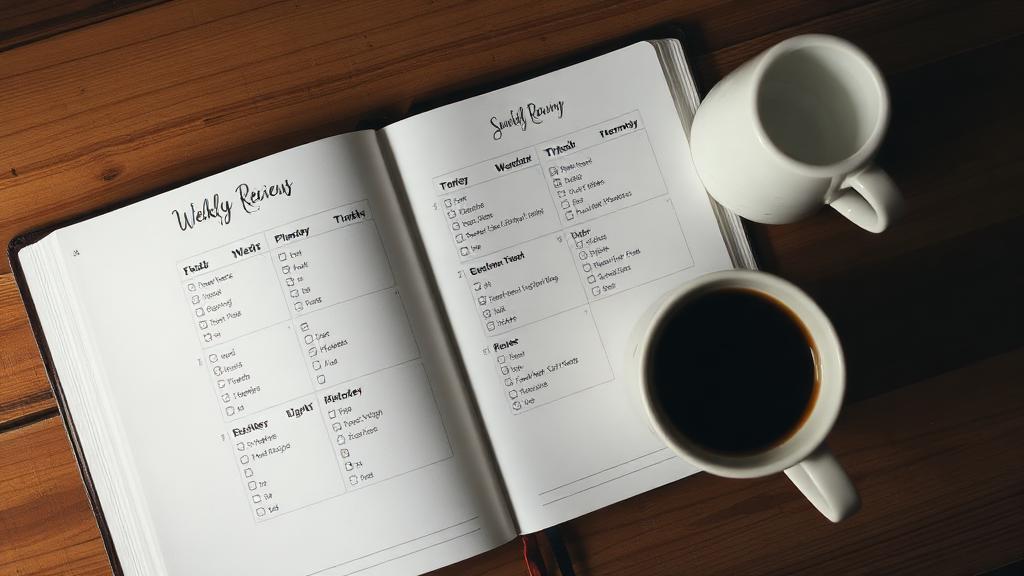
The Weekly Review: A 30-Minute System That 10x Your Productivity
If I could only keep ONE productivity habit — not my task manager, not my time blocks, not my morning routine — I’d keep the weekly review. I’ve done 156 consecutive weekly reviews over the past 3 years, and it’s the single habit that makes every other system work.
Here’s why: without regular review, every productivity system decays. Tasks go stale. Projects drift. Priorities shift without you noticing. Commitments pile up until they collapse. The weekly review is the reset button that prevents entropy from consuming your entire system.
David Allen (GTD creator) calls the weekly review “the secret weapon to getting the relaxed control you want.” After 3 years of doing it religiously, I agree completely. It’s 30 minutes that saves me 5+ hours of chaos, stress, and dropped balls every week.
What Is a Weekly Review?
A weekly review is a structured session where you:
- Close out the current week (process loose ends, capture stray thoughts)
- Review your commitments (projects, tasks, waiting items)
- Prepare for the next week (set priorities, plan blocks)
- Reflect on what worked and what didn’t
It’s part maintenance (keeping your systems current), part strategy (choosing where to focus), and part self-awareness (understanding your patterns).
My Exact Weekly Review Checklist
I do my weekly review every Sunday at 4:00 PM at a coffee shop. The whole process takes 28-35 minutes. Here’s my exact sequence:
Phase 1: Collect & Process (10 minutes)
Clear all inboxes:
- Email inbox → process to zero (archive, reply, defer, delete)
- Todoist inbox → clarify and organize all captured items
- Apple Notes captures → process into Notion or Todoist
- Physical notebook → transfer any un-captured items
- Phone photos/screenshots → process or delete
- Desktop/Downloads folder → file or delete
Brain dump:
- Set timer for 5 minutes
- Write everything on my mind (concerns, ideas, commitments, random thoughts)
- Process each item: task → Todoist, reference → Notion, junk → delete
Why this matters: Loose ends create cognitive load. Processing everything into your system means your brain can relax — it trusts that nothing has been forgotten.
Phase 2: Review & Update (12 minutes)
Review calendar (past + future):
- Look at past week’s events — any follow-ups needed? Any tasks generated?
- Look at next week’s events — any preparation needed? Any conflicts?
- Two weeks out — anything to plan for?
Review active projects:
- Open my Projects list (currently 9 active projects)
- For each project: Is there a clear next action defined? Is it still relevant? Is it stalled?
- If stalled → identify the blocker and decide: push forward or defer?
- Update any project statuses that changed
Review Next Actions:
- Scan my Next Actions list — any completed? Check them off.
- Any no longer relevant? Remove them.
- Any needing context changes? Re-label.
- Does my list feel right? Not too long (overwhelming) or too short (missing things)?
Review Waiting For:
- Any items resolved? Remove them.
- Any items overdue? → Add follow-up task
- Anything stale (waiting 2+ weeks)? → Escalate or accept
Review Someday/Maybe:
- Any items ready to activate? → Move to Projects
- Any items no longer interesting? → Delete
- Any new items to add from this week’s ideas?
Pro Tip: My “Review Projects” step is where I catch 90% of potential disasters. Every week, I find at least one project that’s drifting without a clear next action — meaning it would have stalled completely without this review. It’s like a weekly health check for your professional life.
Phase 3: Plan & Prioritize (8 minutes)
Set next week’s “Big 3”:
- What are the 3 most important outcomes for next week?
- Do they have time blocks on my calendar? If not, schedule them.
- What’s my #1 priority if everything else falls apart?
Time block next week:
- Block deep work sessions (morning, non-negotiable)
- Block admin/email time
- Ensure buffer blocks exist between meetings
- Check that my energy mapping matches task assignments
Identify potential obstacles:
- Any heavy meeting days? → Reduce expectations for deep work
- Any deadlines? → Are they on track? Need extra time blocked?
- Any personal commitments that might affect work? → Plan around them
Phase 4: Reflect (3 minutes)
Three quick reflection questions:
- What went well this week? (Celebrate wins, even small ones)
- What didn’t go well? (Not self-criticism — just observation)
- What one thing could I do differently next week?
I write these in my journal. Over time, the patterns are fascinating:
- I consistently underestimate meeting-heavy days
- Tuesday and Thursday mornings are my most productive deep work times
- Friday afternoons are terrible for creative work (I now use them for admin)
Weekly Review Timing: Why Sunday 4 PM Works
I experimented with different times before settling:
| Day/Time Tested | Problem | Duration |
|---|---|---|
| Friday 4 PM | Too tired, want to shut down | 3 months |
| Monday 8 AM | Needed the morning for deep work | 2 months |
| Saturday morning | Felt like work invading weekend | 1 month |
| Sunday 4 PM | Perfect — refreshed, week ahead, café ritual | 3 years |
Why Sunday 4 PM works for me:
- Weekend relaxation has cleared my mind
- I’m naturally thinking about the week ahead anyway
- Coffee shop ritual makes it enjoyable
- After the review, Sunday evening feels peaceful (no lingering work anxiety)
- Monday morning starts with clarity and intention
Your ideal time might differ. The key factors: you’re not tired, you have 30 uninterrupted minutes, and it’s close enough to the new week that your planning is actionable.
Tools for the Weekly Review
What I Use
- Todoist — task review (Next Actions, Projects, Waiting For)
- Google Calendar — past/future event review
- Notion — project documentation review
- Physical journal — brain dump and reflection
- Paper checklist — the review sequence itself (same card every week)
Why I Use Paper for the Review Itself
My review checklist is on a laminated index card I bring to the coffee shop. Not an app, not a digital checklist — a physical card I hold in my hand. This prevents me from getting distracted by the digital tools I’m supposed to be reviewing. I open each digital tool specifically for its review step, then close it before moving to the next step.
What Happens When You Skip the Weekly Review
I’ve missed exactly 0 reviews in 3 years. But in the first year of trying to establish the habit, I missed a few. Here’s what happened:
Miss 1 week: Mild discomfort. Some tasks slip through cracks. Easy to catch up. Miss 2 weeks: Projects stall without clear next actions. Inbox builds up. Stress increases noticeably. Miss 3+ weeks: Full system breakdown. Trust in the system evaporates. Takes 2-3 hours to get back on track. Essentially starting over.
The weekly review is the immune system of your productivity. Without it, everything slowly gets sick.
Pro Tip: Make your weekly review a ritual you ENJOY, not a chore you dread. My ritual: specific coffee shop, my favorite latte, noise-canceling headphones, a paper checklist. The environment is associated with calm, focused productivity. I genuinely look forward to Sundays at 4 PM. If your review feels like a chore, change the environment until it feels like a treat.
Weekly Review for Different Systems
If You Use GTD
The weekly review IS the heart of GTD. Follow David Allen’s complete checklist: trigger list, project review, calendar review, next actions, Someday/Maybe, and 40+ trigger questions.
If You Use Time Blocking
Add to your review: review last week’s actual blocks vs planned blocks. Where did reality diverge? Adjust next week’s blocks based on patterns.
If You Use Pomodoro
Review your Pomodoro data: how many completed this week? What was your daily average? Any patterns in when you break sessions?
If You’re Building a Second Brain
Add: review Inbox notes for processing, check if any Resources should become Projects, archive stale items.
Adapting the Review to Your Life
For Busy Parents (15-Minute Version)
- 5 min: Process inboxes (email + task inbox to zero)
- 5 min: Review projects + calendar for next week
- 5 min: Set Big 3 priorities for the week
- Skip: Someday/Maybe and detailed reflection (do monthly)
For Students (20-Minute Version)
- 5 min: Review assignment deadlines for next 2 weeks
- 5 min: Process class notes into study system
- 5 min: Plan study blocks for the week
- 5 min: Brain dump + capture loose thoughts
For Freelancers (35-Minute Version)
- 10 min: Review all client projects — status, blockers, next actions
- 5 min: Invoice review — who owes me? Who have I not billed?
- 10 min: Standard review (inboxes, calendar, tasks)
- 5 min: Business development — any leads to follow up?
- 5 min: Plan next week’s time allocation across clients
Making the Weekly Review Stick
The Habit Stack Approach
Use habit stacking: “After I finish my Sunday afternoon coffee at [café], I will do my weekly review.” Linking it to an existing enjoyable routine makes it sustainable.
The Accountability Approach
Tell someone you’re doing weekly reviews. Better yet, do them at the same time as a friend (even remotely). Knowing someone else is reviewing simultaneously creates gentle accountability.
The Reward Approach
After my review, I reward myself with something small: a pastry from the café, 20 minutes of guilt-free social media, or the permission to fully relax for the rest of Sunday evening knowing everything is handled.
The Never-Miss-Twice Rule
If something prevents your review (travel, illness, emergency), do it the next day — even if it’s abbreviated. Never miss two reviews in a row. The habit survives single interruptions but dies from consecutive misses.
Common Mistakes to Avoid
1. Making It Too Long
If your review takes 2 hours, you’ll dread it and eventually quit. 30-35 minutes is the sweet spot for most people. If it’s running longer, you’re either over-reviewing (too much detail per project) or under-capturing during the week (too much to process).
2. Only Reviewing Tasks, Not Projects
Checking off completed tasks feels productive but misses the strategic layer. The review should ask: “Are my projects advancing toward my goals?” not just “Did I complete today’s tasks?“
3. Not Having a Written Checklist
Without a checklist, you’ll forget steps, rush through important parts, and gradually let the review become less effective. Use the same checklist every week — don’t reinvent the process each time.
4. Doing It Digitally in a Distraction-Prone Environment
If you do your review in front of your work computer with Slack and email open, you’ll get pulled into doing work instead of reviewing it. Change your environment: coffee shop, park bench, different room. Physical separation from work tools helps maintain the review mindset.
5. Skipping the Reflection Phase
The “what worked / what didn’t” reflection seems optional but provides the most long-term value. It’s how you actually IMPROVE your system over time rather than just maintaining it. Without reflection, you repeat the same mistakes indefinitely.
My Weekly Review Data (3 Years)
| Metric | Year 1 | Year 2 | Year 3 |
|---|---|---|---|
| Reviews completed | 48/52 | 52/52 | 52/52 |
| Average duration | 42 min | 32 min | 28 min |
| Items processed/review | 35 | 28 | 22 |
| Projects stalled (caught) | 4/week | 2/week | 1/week |
| Week-start clarity (1-10) | 6 | 8 | 9 |
Notice: the review got faster AND more effective over time. I process fewer items because my weekly capture is more organized. I catch fewer stalled projects because they’re less likely to stall in the first place. The system improves itself through consistent practice.
The Compound Effect of 156 Weekly Reviews
After 3 years of consecutive reviews, the compound benefits are remarkable:
Decision quality improved. Because I reflect weekly on what worked and what didn’t, I make fewer repeated mistakes. My “What I’d do differently” entries became shorter over time — not because I stopped reflecting, but because there was genuinely less to fix.
Project completion rate increased. In Year 1, I completed about 60% of projects I started. By Year 3, that number is 87%. The weekly review catches stalled projects before they die, and forces honest assessment of whether projects are still worth pursuing.
Stress reduced measurably. I used to carry a persistent low-grade anxiety about forgotten commitments. After establishing trust in my weekly review (knowing that NOTHING stays forgotten for more than 7 days), that background anxiety disappeared completely.
Relationships improved. My “Waiting For” list ensures I follow up on promises — to clients, colleagues, friends, and family. People started commenting that I’m unusually reliable about remembering and following through on commitments.
FAQ
What if I genuinely don’t have 30 minutes on weekends?
Do a 15-minute version on Friday afternoon as you wind down work. The most critical steps are: process inboxes to zero, review next week’s calendar, and set your Big 3 priorities. Even this abbreviated version provides 80% of the weekly review’s benefit. The other 20% (reflection, Someday/Maybe) can be done monthly.
Should my weekly review include personal tasks, or just work?
Both. I review work projects AND personal areas (health, finance, relationships, home) in the same session. A unified review prevents personal tasks from falling through the cracks while you focus on work. It takes 5 extra minutes to scan personal areas but ensures holistic life management.
How do I know if my weekly review is working?
Three signals: (1) You start Monday morning knowing exactly what to work on first. (2) You rarely get surprised by forgotten commitments or approaching deadlines. (3) Your projects advance steadily instead of stalling. If any of these aren’t true, something in your review process needs adjustment.
What’s the difference between a weekly review and a daily review?
Daily review (5 min): “What am I doing TODAY?” — check calendar, select top 3 tasks, review meetings. Weekly review (30 min): “How is my SYSTEM doing?” — process all inboxes, review all projects and commitments, plan the week’s structure, reflect on patterns. Daily is tactical; weekly is strategic. You need both, but the weekly review is what prevents your system from degrading.
Can a weekly review work for teams, not just individuals?
Yes. Many agile teams do “sprint retrospectives” which are essentially team weekly reviews. For a team version: review team projects (status, blockers), process shared inboxes (client requests, tickets), plan next week’s priorities, and reflect on team dynamics. Keep it under 45 minutes. The team review supplements, not replaces, individual weekly reviews.
💡 Want more productivity tips?
Browse all articles →